AI INVOICE MAKER · ANDROID
Create an invoice from plain English on Android.
Quotavani is an AI invoice generator for Android. Describe the customer, items, quantities and prices in plain English; AI populates a draft that you can review and edit before generating a professional invoice PDF.
Get launch updates ↗FROM THE QUOTAVANI ANDROID APP
A few words.
A draft you can make yours.
See an AI invoice generator turn a typed transaction description into a draft for review. Confirm the customer, items, prices and VAT before generating a professional invoice PDF.
01 Describe the transaction
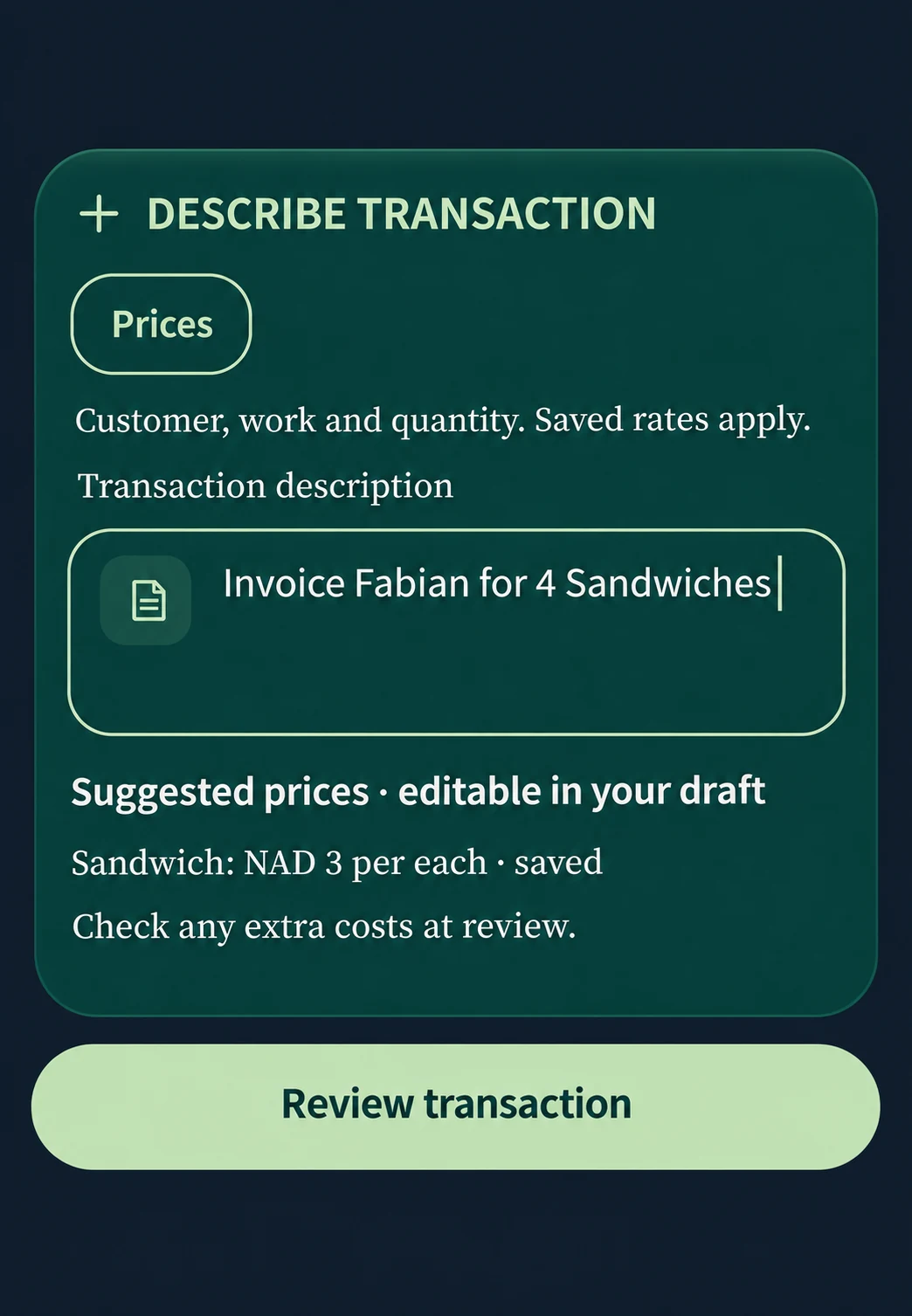
02 Review your invoice
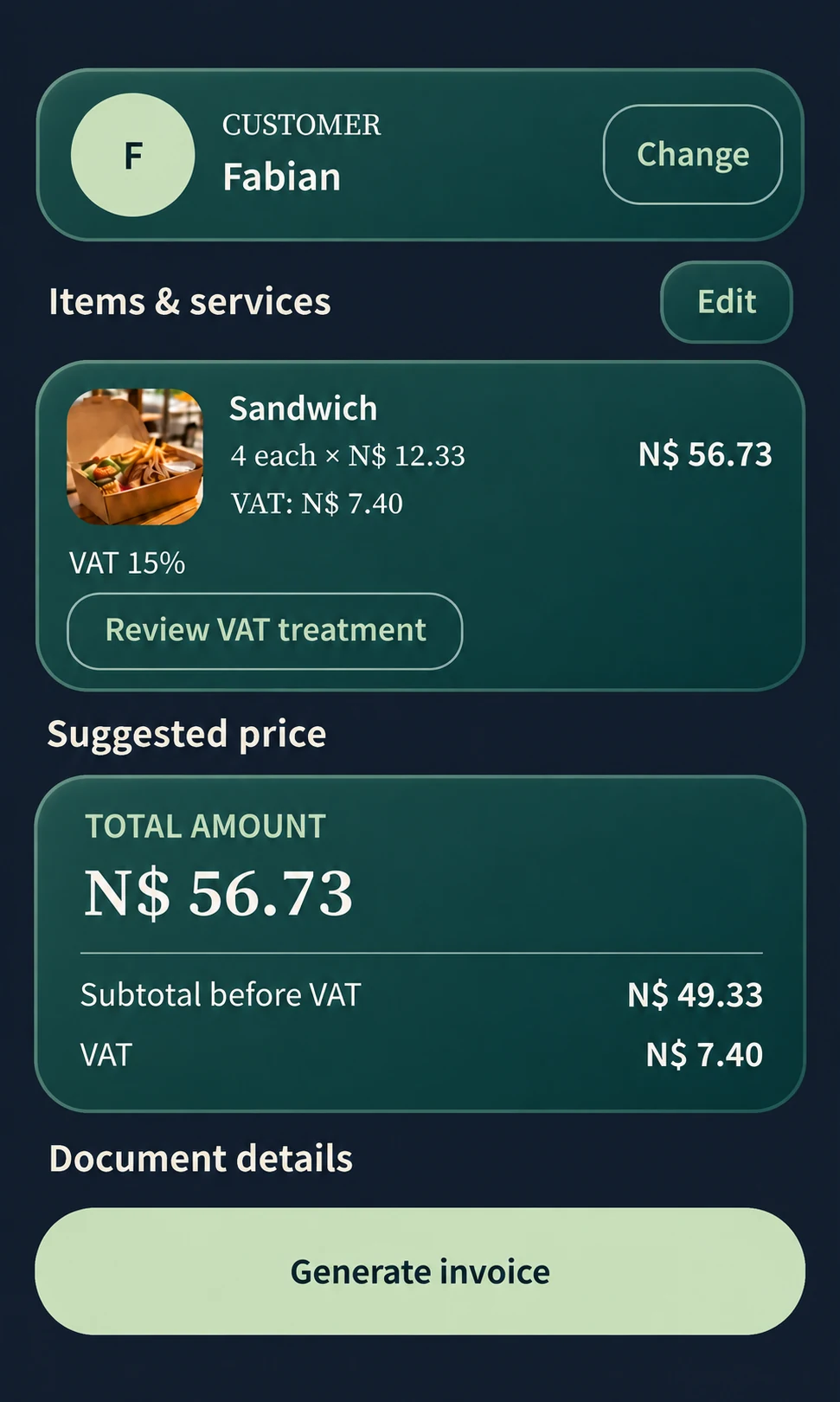
“Invoice Fabian for 4 Sandwiches.” Check the items and N$56.73 total, then generate the invoice PDF. These app screens are recreated for the web; open either preview for a closer look.
Download example images ZIP · 160 KBExplore real invoices and quotes generated by Quotavani.
Open the sample invoice PDF ↗Generate an invoice from text on your phone
Type “Invoice Fabian for 4 Sandwiches.” Quotavani prepares an editable invoice draft for Android. Review the customer and item quantity, adjust saved prices where needed, then check VAT before generating the invoice PDF. The app example shows a subtotal of N$49.33, VAT of N$7.40 and a total of N$56.73; those amounts belong to this sample transaction.
Review the customer and every amount
A mobile invoice generator gives you a head start on the paperwork. Confirm the right customer, including any phone-contact match, and check descriptions, quantities, rates, currency and tax. If a phrase is ambiguous or a price is missing, correct the draft. Quotavani calculates the amounts in the app using the details you confirm.
Generate a PDF invoice, then choose where it goes
After confirmation, the app generates the PDF and opens the preview. Check the actual file before selecting Share, Send or Save. Android’s sharing options let you choose a compatible installed destination, such as an email or messaging app. You send the invoice from the Android app when it is ready. On the website, you can explore the workflow and use our free calculator.
Keep the next invoice connected to previous work
Repeat an earlier document as a new draft instead of starting again. If you first agreed the work in a quote, create an invoice draft from that quote and review it for the completed job. Keep document status and due dates organised, record payment status yourself and use reminders you control. Update payment status after confirming receipt in your payment records.
Understand what needs an internet connection
Document calculations and PDF generation happen on your phone. AI draft creation can depend on your installed version and connection; our team can confirm the requirements for your release. Sign-in, purchases and sharing through online services may also need connectivity.
Questions about mobile invoicing
Is Quotavani a free invoice app?
We offer two free trial invoices, with access options listed at $5.99 monthly, $49.99 yearly and $160 for three years. Our website tools are free. Before buying, check the pricing page and confirm the currency, tax, renewal and trial conversion terms with our team.
Can I download the Android app now?
Contact our team for current Android availability. We will link the public store listing here when it is ready.
Can I make invoices offline?
Document calculations and PDF generation happen on your phone. Confirm offline AI availability for your installed version with support. Sign-in, purchases and online sharing can require connectivity.
Checking quantities and rates first? Try the free invoice line-item calculator.