01
Start with your words.
Describe the invoice in plain English. AI prepares a populated draft; you review the customer, line items and amounts before confirming.
LESS ADMIN. MORE MOMENTUM.
Type what you need.
Quotavani prepares the invoice draft.
An AI invoice generator for Android, built for trades and small businesses. Describe the customer, items and prices in plain English. Review and edit the populated draft before generating your PDF.
Get Android availability and launch updates by email. No payment or app installation needed.
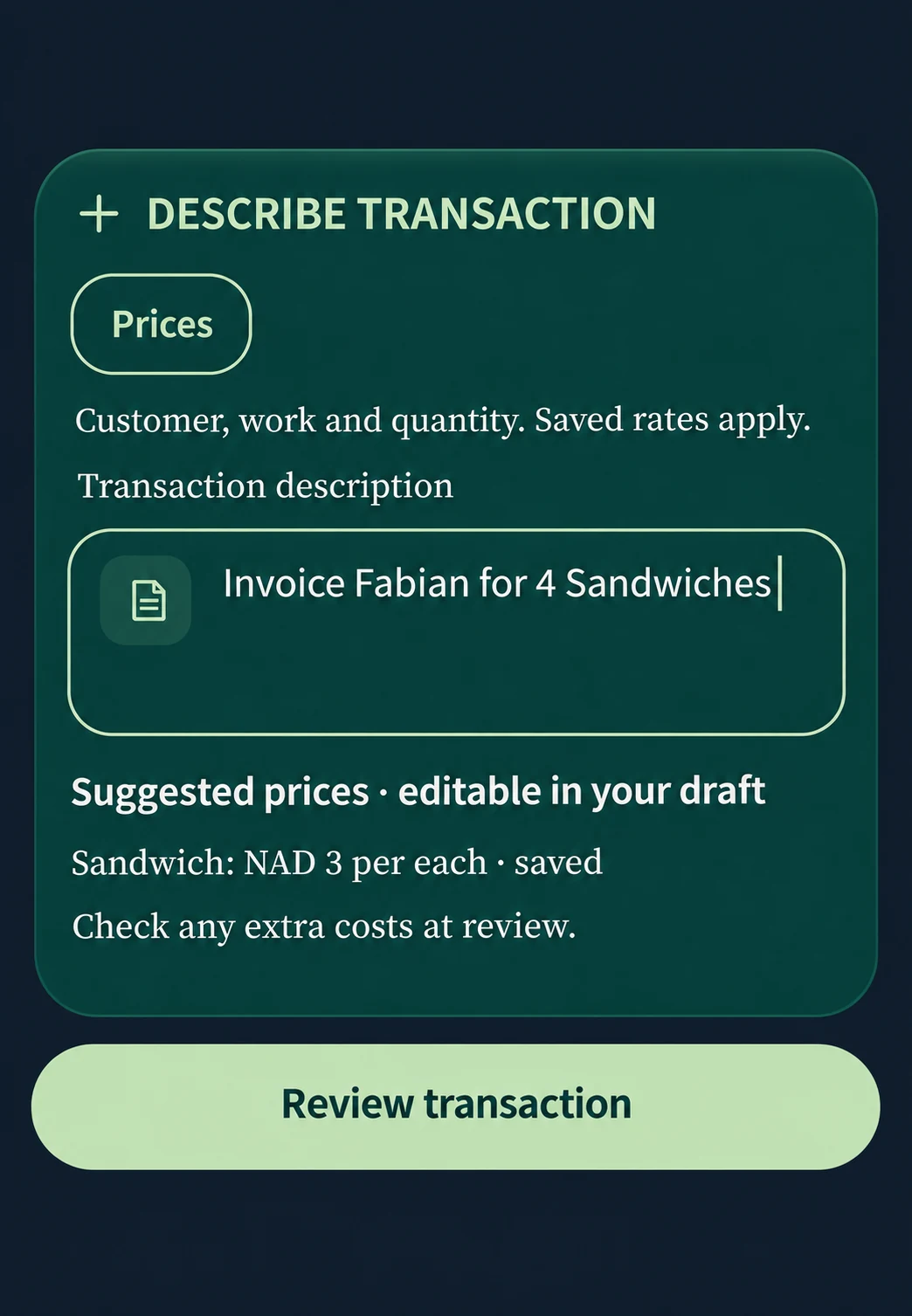
01 Describe the transaction
02 Review your invoice
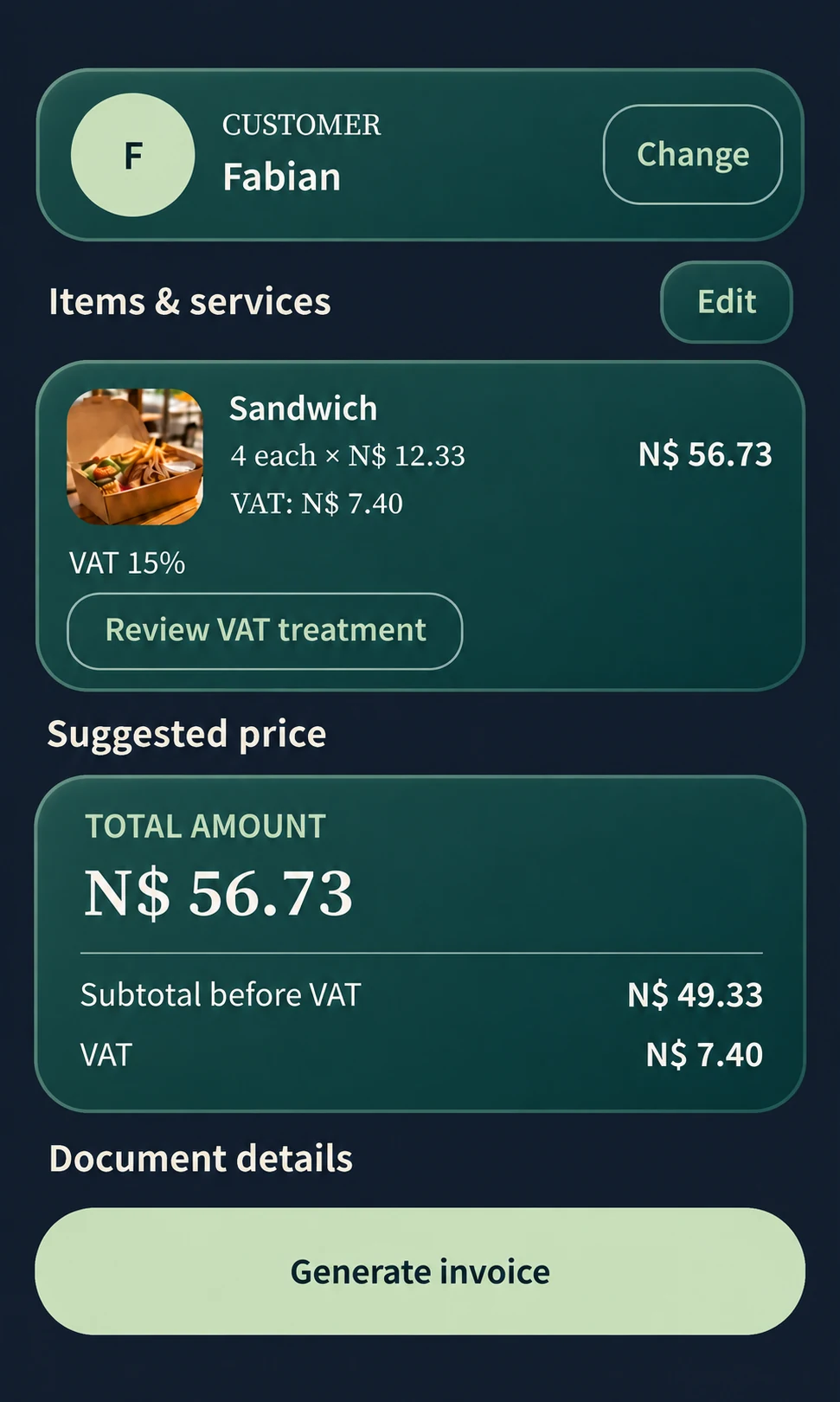
“Invoice Fabian for 4 Sandwiches.” Check the items and N$56.73 total, then generate the invoice PDF. These app screens are recreated for the web; open either preview for a closer look.
Download example images ZIP · 160 KB01 / BUILT AROUND YOUR WORK
A billing generator that fits a working day. From the first description to the final PDF, keep the details together and the decisions yours. Try the free pricing calculator →
Describe the invoice in plain English. AI prepares a populated draft; you review the customer, line items and amounts before confirming.
Use the built-in pricing calculator to work with quantities, rates and totals. Review the currency and any tax in one place.
Keep quantities, rates, currency and tax together as you review the total. Calculations run on your phone, separately from the AI draft.
Preview first, then choose PDF sharing through your preferred messaging or email app. You decide where each document goes.
Set out the proposed work in a quote. Once it is accepted, create an invoice draft and check it against the work delivered.
Reuse earlier documents, keep customer details close, record payment status and manage due dates with reminders you control.
02 / THE FINISHED DOCUMENT
A document you can feel good about sending.
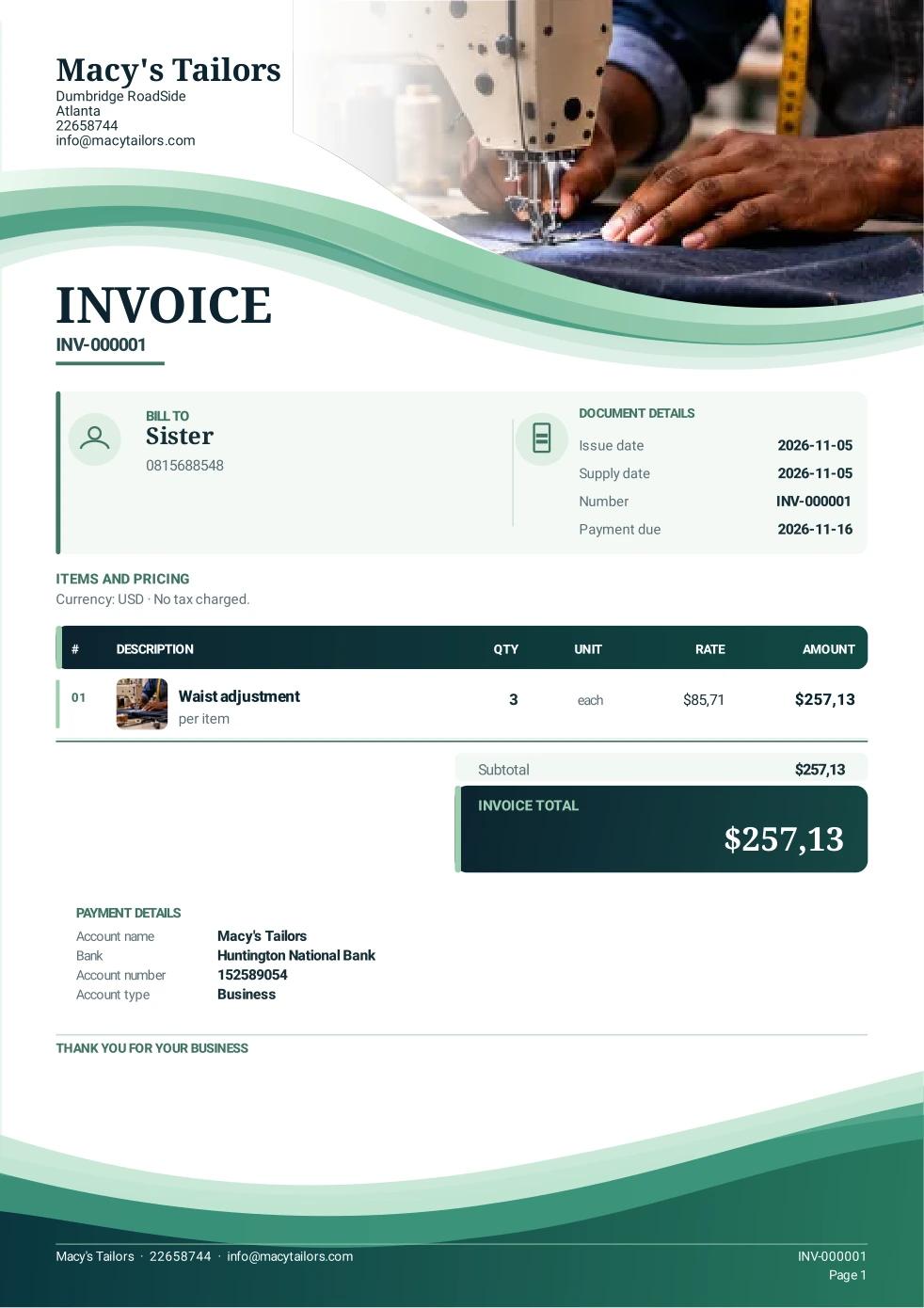
See the PDFs we created in Quotavani: an invoice requesting payment for tailoring work and a quotation proposing IT support.
Actual Quotavani output · Open or download the original PDF
03 / FROM A JOB TO A DOCUMENT
Quote the work before you begin. Invoice it when payment is due. Keep both moving from your Android phone.
Type the customer, work, quantities and prices. AI uses your instruction to populate an editable invoice draft.
Review the editable draft. Confirm the customer, adjust the items and check the amounts before finalising.
Open the generated PDF. Choose Share, Send or Save, and pick the destination that works for your customer.
FOR PEOPLE WHO DO THE WORK
Repairs and installations. Tailoring and IT support. Deliveries, cleaning and the next freelance project.
Quotavani helps trades, independent professionals and small businesses put a clear price on good work, without starting from a blank page every time.
Practical guides for your next documentFIND YOUR STARTING POINT
Some jobs need a faster starting point. Others need less repetition or a clearer handover. Explore the part of Quotavani that fits your work.
Let AI prepare the draft. Keep approval in your hands.
Explore this workflow 02 / PLAIN-LANGUAGE INVOICINGA useful instruction starts with three things: who, what and how much.
Explore this workflow 03 / REPEAT CLIENTSKeep what still applies. Change what makes this job different.
Explore this workflow 04 / SIMPLER BILLINGDescribe. Review. Share. A clear path through the paperwork.
Explore this workflowBEFORE YOU CHOOSE
See how the app works, compare plans and get answers from our product guides.
Describe the customer, job, quantities and prices in everyday words. Quotavani uses AI to populate an editable invoice draft. Review the customer, items, currency and any tax before confirming. Make any changes you need, then approve the final document.
Document calculations and PDF generation happen on your phone. Ask support whether AI draft creation in your installed version works offline. Google sign-in and purchases require connectivity. Sending a PDF depends on your chosen sharing app.
Yes. Prepare a quotation before the job, then turn accepted work into an invoice draft. You can also create a new invoice directly, reuse a previous document and review the PDF before sharing.
Confirm your document to open its PDF preview. Choose Share, Send or Save, then select a compatible installed app such as WhatsApp or email. You check the recipient and choose when to send. Nothing is sent automatically.
Contact our team for current Android availability or join the launch list. We’ll share the download details when they’re ready. Invoice creation happens in the Android app; you can explore its features and try our free calculator here.
Start with two free invoices. Plans are US$5.99 monthly, US$49.99 yearly, or US$160 for three years of access. See our pricing page for the latest purchase terms, including tax and renewal details. Signing in is separate from buying a subscription.
Good work deserves
a clear document.